Project
Vendor Portal Design for Global Telecoms Company
Problem
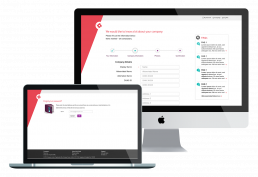
Contractors and vendors required quick access to an intuitive portal to view invoices, payments dates, edit their account and request important information. The business wanted to minimise calls to call centres to save running costs and resources. Additionally, an automated system to send messages to contractors was needed.
My Role
Workshops
Prototyping
UI Design
Iconography
Illustration
Global Style Guide
QA with dev
Working with
UX Researcher
UX Lead
Stakeholders
Project Manager
Dev
Tools
Adobe Illustrator
Photoshop
Invision
Zeplin
Duration
6 months

Ideation
Challenges
We were dealing with complex information and breaking it down into digestible categories. This formed a basis for designing a useable user interface with intuitive navigation. The portal was built around an SAP system with many technical limitations, so communication with developers was crucial to make sure UX/UI design solutions were feasible.
The company style guide was also going through a brand refresh at the time, so I needed to be in constant communication with brand to make sure their latest guidelines were adhered to.
Research
Iterative testing approach
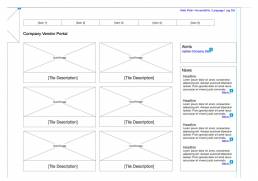
An iterative testing approach was adopted with wireframes made into a lo-fi Axure prototype and tested on users to gain feedback. Research was gathered and went through many iterations before tested again. The final designs validated with the client.
Design
Challenges - translating wireframes in UI design
I worked closely with the lead UX designers. As content was dynamic and personalised around the individual user, the wireframes delivered were very generic. It was up to me as the UI designer to bring the designs to life.
The UI designs had to take technical limitations into account around the SAP system which it was built around. All designs needed to be validated with a specialist SAP consultant and the development team.
The UI needed to reflect the brands new brand style guide, which was currently going through an approval process at the time of design.
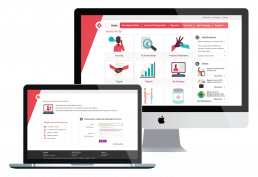
I used creativity to design an intuitive UI, making use of white space to reduce clutter for easy navigation, arranging blocks of information in logical hierarchies.